For bakeries that sell what they bake
Every allergen on your label, traced back to the packet.
Add your ingredients, build a recipe, and BakeCheck writes your ingredient declaration, checks the allergens and keeps the label up to date when things change. Anyone can print a declaration — this keeps the record behind it, so when a customer or an inspector asks what is in the tin, you show them rather than remember.
Free plan · No card required · Up to 20 products
- Ingredients, recipes, labels and costs
- Built for small bakeries
- UK allergen labelling
See what BakeCheck does ↓
Try it — tap an allergen to see where it came from.
Lemon & Poppy Seed Loaf
Ingredients: Strong Wheat Flour (Calcium Carbonate, Iron, Niacin, Thiamin), Caster Sugar, Unsalted Butter (Milk), Free-Range Egg, Lemon Buttercream (Icing Sugar, Unsalted Butter (Milk), Lemon Juice), Poppy Seeds, Baking Powder (Wheat Starch), Salt.
Contains: , ,
Storage: Keep in an airtight container. Best eaten within 3 days of baking.
Net weight 450g e
Pick an allergen above to trace it back.
Where this sits
A label maker gives you a label. This gives you the record it came out of.
The label
A declaration typeset the way it has to be read: ingredients in descending weight order, allergens emphasised, sized for the printer you own.
The check
A deterministic pass over every allergen in the recipe against the text on the label. No language model gets a vote, and a label that fails cannot be approved.
The trail
Versions, approvals and prints, each recorded against your account and kept when the recipe moves on. That is the part you cannot reconstruct afterwards.
A simpler way to label
From packet to label in minutes.
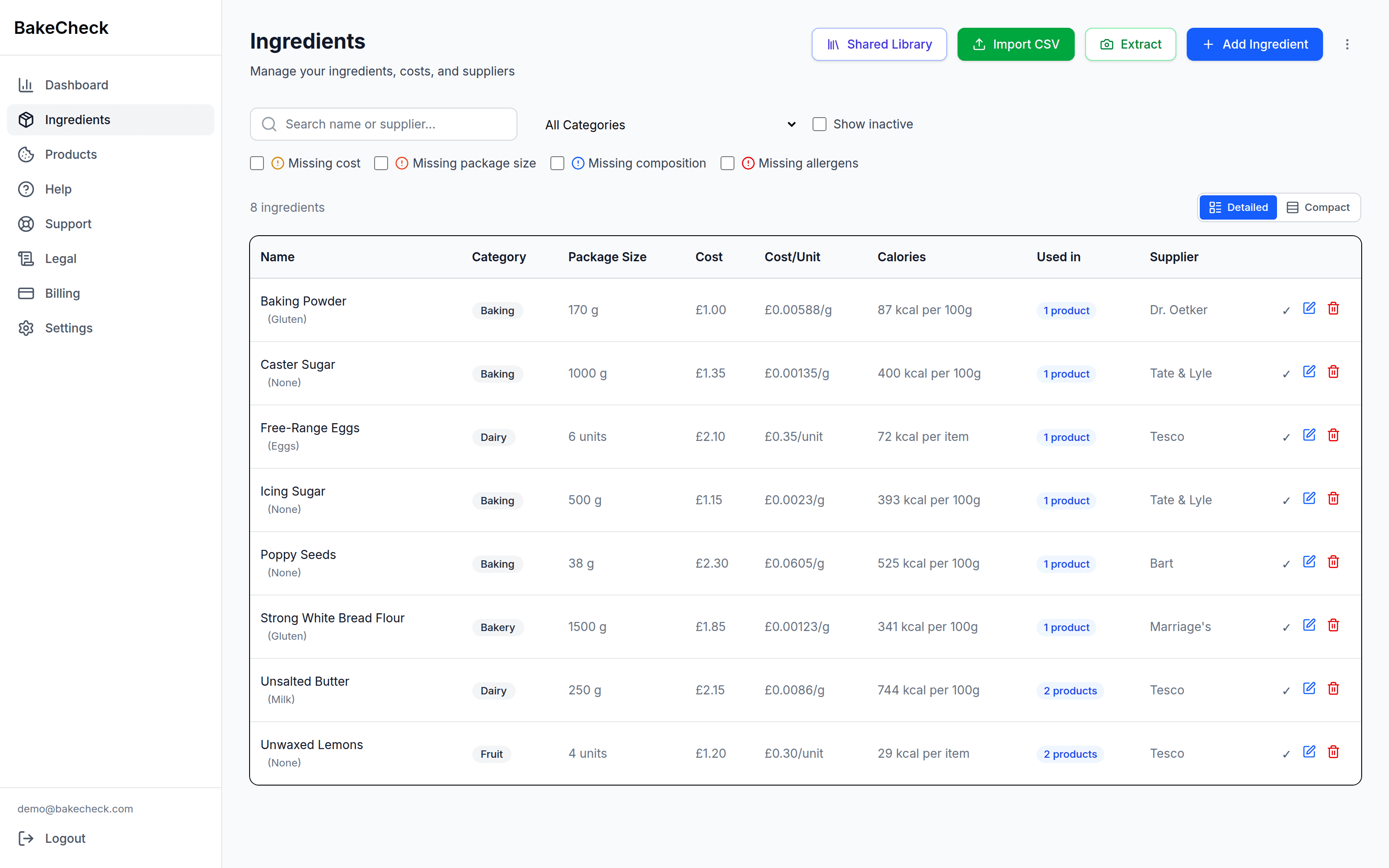
Enter each raw ingredient once
Ingredients
Allergens and composition, recorded against the ingredient rather than retyped per recipe. Photograph the packet and the ingredients list is read off it for you, or bring a spreadsheet in as CSV.
Build recipes from them
Products
A product is its ingredients and quantities. Put a product inside another product — a filling inside a cake — and its allergens carry up into the parent.
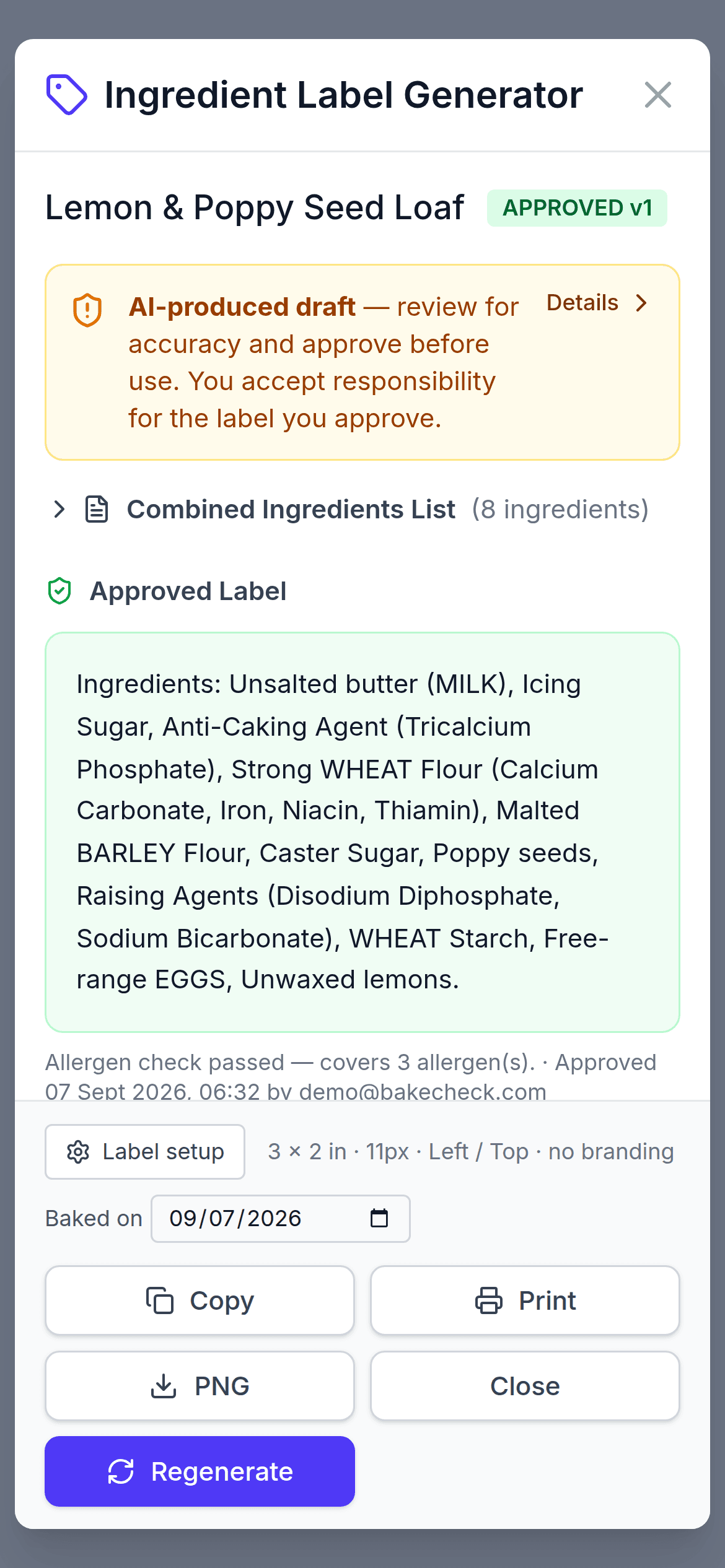
Generate the declaration
Labels
Ingredients come out in descending weight order. Every allergen in the recipe, including the ones arriving through a sub-recipe, is matched against the label text.
Sign it off
Approve & print
Approving is a deliberate act, recorded with a timestamp. Then print from the browser, copy the text, or download a 300 DPI PNG for a label printer.
Built for what you bake
You worry about making it. BakeCheck remembers what went into it.
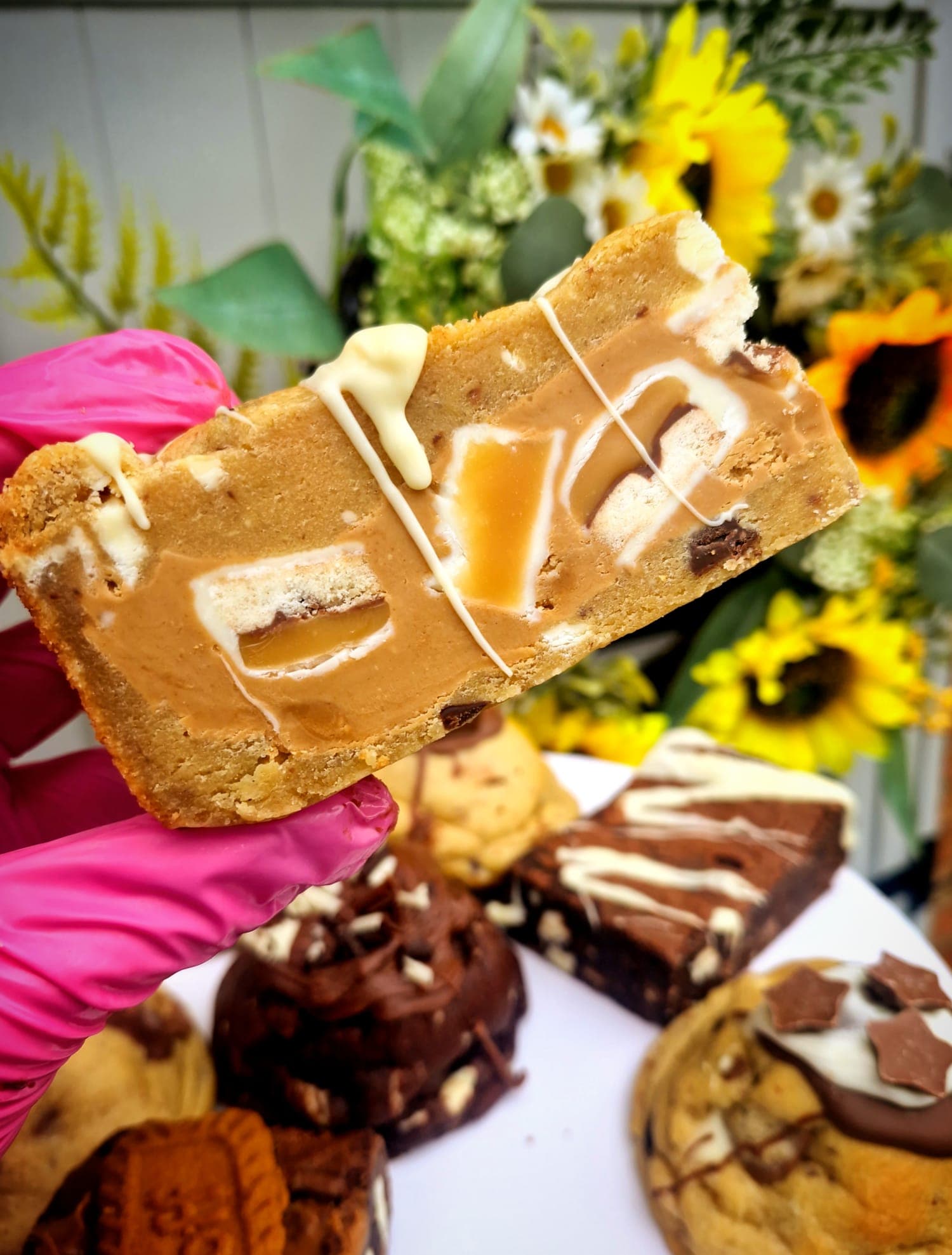
Brownies, sourdough, cupcakes, cheesecakes — the same handful of ingredients turn up across everything you sell. Record each one once and every recipe that uses it inherits its allergens, its composition and its cost.
See what is includedThe approval gate
A label leaves here in one of three states, and never quietly changes between them.
Drafting a declaration is the easy part. Knowing nothing fell out of it is the part that matters. Before a label can be approved, every allergen in the recipe — rolled up through sub-recipes, so the marzipan inside the cake counts — is matched against the label text. An allergen that is not emphasised fails the check, and a label that fails the check cannot be approved. That rule is not advisory, and it is not a suggestion from a language model; it is a plain check that runs every single time.
What BakeCheck will not do is tell you a label is legally compliant. No software can. You get a draft and a check that will not let the obvious mistakes through. You review it, you approve it, and it stays your call.
- Draft
- Generated from the recipe as it stands. Useful, and not something you can put on a tin yet.
- Approved
- It passed the allergen check and you signed it off. The version, the check and the approval are all kept.
- Out of date
- The recipe moved underneath it. Flagged the moment it happens, so an approved label can never quietly stop matching what is in the tin.
The same record, everywhere else
More than just labels.
Ingredients, products and labels are on for every account. Everything here reads the same data rather than asking you to type it again — and is switched on per bakery, so tell us what you need and we will enable it.
- Recipe costing
- Uses what you actually paid per ingredient to give you cost per batch and cost per unit, and moves when your supplier prices move.
- Online shop
- Sells the products you already built — on a BakeCheck address or a domain of your own — with the approved ingredient label on the product page.
- Orders and collection
- Weekly collection and delivery slots, blackout dates for the weeks you are closed, and a calendar feed of what is due.
- Receipts
- Photograph a supplier receipt and match the lines back to your ingredients, so the costing stays honest without a data-entry evening.
- Shared ingredients
- Import common ingredients already filled in, and pull an update when a supplier changes a specification.
- Stock
- Ingredient levels drawn down as you bake, so you find out before the flour does.
Built because we needed it ourselves
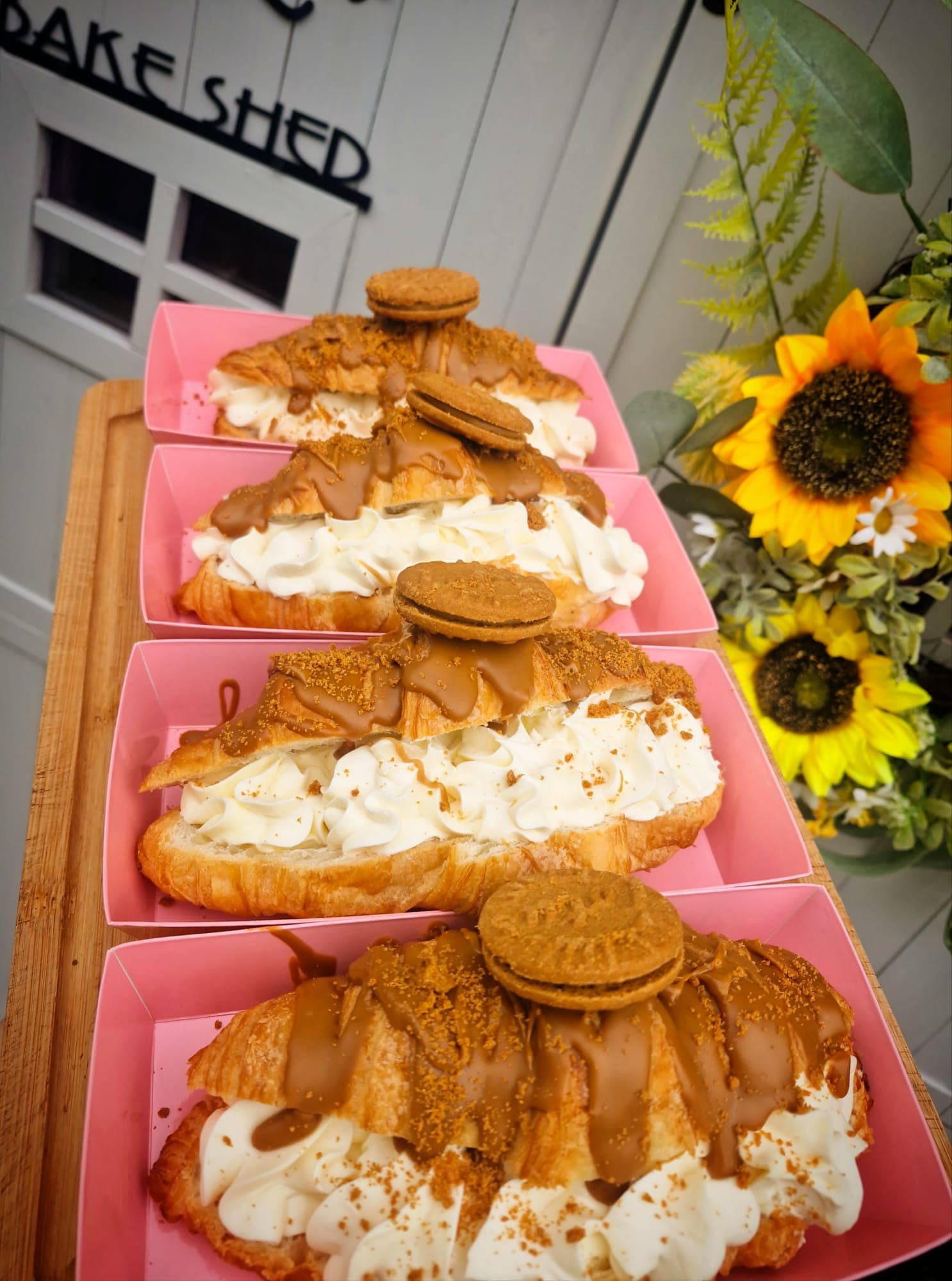
From a real bakery. For real bakers.
BakeCheck started with the labels for one small home bakery, made by hand — reading each packet, typing the declaration out again, and checking nothing had been missed. It took hours, and it was easy to miss something. So we built something better. That bakery still runs on it.
Read the guidesPlans
Pay for the size of your kitchen.
Plans differ by how many products and ingredients you keep — nothing else. Every plan gets the same labelling, the same allergen check and the same approval trail.
Questions worth asking
Before you move your ingredients over.
- I already use a free label maker. Why change?
- Because a label on its own is not a record. A free tool prints a declaration and forgets it — nothing knows what the label was made from, nothing notices when you change the recipe, and nothing can show an inspector how you arrived at it. BakeCheck keeps the recipe, the check it passed and the approval you gave it, and flags the label the moment the recipe moves on. It also costs, prices and sells the thing you baked.
- Does this make my labels legally compliant?
- No software can promise that, and you should be wary of one that does. BakeCheck produces a draft declaration and checks it against the allergens in your recipe — it will not let you approve a label that fails that check. The label is still yours: you review it, you approve it, and you remain responsible for what goes on the product.
- What happens when I change a recipe?
- The label that came from it is marked out of date straight away, and the approved version is kept rather than overwritten. You regenerate, re-check and re-approve — and you can still see what the old one said.
- What can I print?
- Print directly from the browser, copy the label text to paste elsewhere, or download a 300 DPI PNG sized for a label printer (3in × 2in by default, and configurable).
- Which allergens are covered?
- The 14 major allergens used in UK labelling: gluten, crustaceans, eggs, fish, peanuts, soybeans, milk, nuts, celery, mustard, sesame, sulphur dioxide, lupin and molluscs.
- Can I sell through it as well?
- Yes — a customer-facing shop on your own domain, orders, a collection and delivery calendar, stock and costing. Those modules are switched on per bakery rather than being on by default, so tell us what you need and we will enable it.
Print one label. Keep the record.
Add your ingredients, build your products, and see the labels come out the other end with the trace behind them. The free plan does all of it — every feature, no card, room for 20 products before you need to pay us anything.
Start free